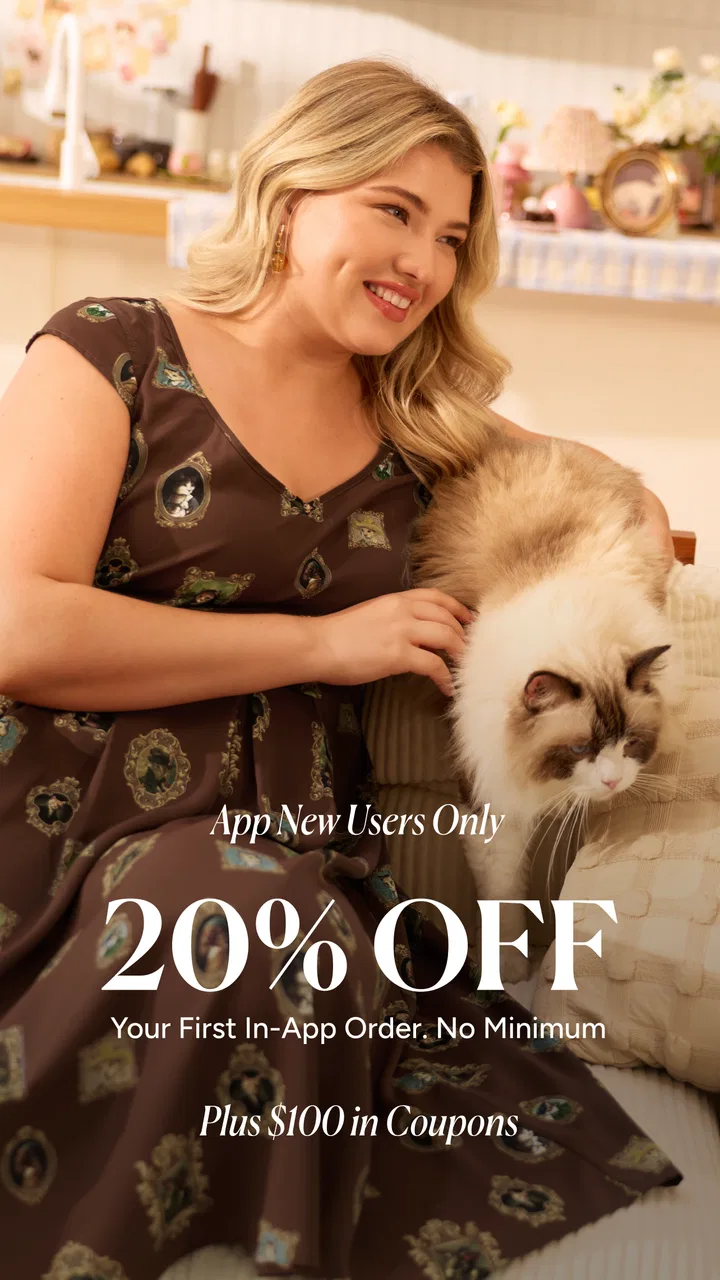
BloomChic | A Re-Imagining
- 4.7
- Rating
- 500.00K
- Installs
- Free
- Price

 Analysis by App-foxy
I approached BloomChic as a shopping app for women looking for clothing in sizes 10–30, not as another general fashion marketplace where extended sizing is easy to miss. That focus is its clearest reason to exist. The app is free, aimed at everyone, and developed by BLOOMCHIC HK LIMITED, so the basic decision is simple: if you want to browse plus-size fashion from a dedicated retailer, it is worth trying. If you need a broad comparison across many brands, you may still prefer a larger marketplace or a retailer with a more familiar in-store return process.
My experience with it is best described as useful but dependent on careful shopping habits. The attractive part is discovering styles without first filtering through pages of unsuitable size ranges. The less comfortable part is that an app cannot remove the usual online-clothing risks: fit varies by cut, photos can make fabric look different from reality, and a smooth browsing session does not guarantee that every purchase will feel right. I would use BloomChic for deliberate browsing, saved ideas, and outfit planning, while treating the product page as something to study rather than skim.
Where the shopping experience can become difficult
The first point where I would expect users to hesitate is not installation but orientation. A fashion app can look inviting while still making it hard to decide what belongs in a realistic wardrobe. BloomChic’s size focus gives the catalog a useful starting point, yet the number of styles can make browsing feel less efficient if you open items randomly. I found it more practical to begin with a purpose: a work top, a casual dress, a layer for changing weather, or an outfit for a specific event.
You May Also Like

 Pandora - Music & Podcasts
Pandora’s Music Is Easy to Start, but Harder to Recover
Pandora’s strength is its low-effort path from a seed to a station. Its weak spot is how much confidence it asks you to place in connection, setup, and quiet recovery.

 8 Ball Pool
 Is Built on Rivalries, Rematches, and Routine
A close look at the rivalries, rematches, shared routines, and unanswered safety questions that turn a quick pool match into a persistent mobile community.

 Samsung Music
’s Quiet Strength Is Playing What You Already Own
Its reach comes less from spectacle than from dependable access to a personal library. That simplicity is both the app’s strongest retention engine and its ceiling.

 AccuWeather: Weather Radar
AccuWeather Review: A Quick, Clear Forecast for Everyday Decisions
For everyday plans, the best forecast is the one you can understand quickly. AccuWeather makes rain timing, radar, and local conditions easy to act on, with a few trade-offs.

 Hill Climb Racing
Why Hill Climb Racing Still Turns Crashes Into One More Run
A tiny car, a bumpy hill and one more upgrade: Hill Climb Racing keeps resurfacing because its simple chaos makes every near-miss feel personal.

 AliExpress - Shopping App
AliExpress Makes Global Shopping Feel Personal, but Shoppers Bear the Risk
AliExpress turns a global marketplace into a pocket-sized discovery engine. Its reach is useful, its shopping loop compelling, and its trade-offs easy to miss.
More From Our News Desk
View All News


That small change matters because shopping by mood encourages visual impulse. You may collect attractive pieces that do not work together, while shopping by occasion makes it easier to judge color, sleeve length, fabric weight, and whether the item fills a genuine gap. I also recommend checking the size information on each individual product instead of assuming that the same size will fit identically across dresses, trousers, tops, and outer layers. A size range is helpful, but it is not a substitute for garment measurements and attention to shape.
The app’s strongest advantage over a general shopping platform is this reduced search burden. On a broad marketplace, extended-size clothing may be mixed with unrelated results, inconsistent photography, and sellers with very different standards. Here, the shopping journey is more focused on the intended customer. The trade-off is that you are browsing one retailer’s style language and stock rather than comparing many labels side by side. I would choose BloomChic for discovery within its niche, but a multi-brand service is better when brand comparison, familiar sizing, or price competition matters most.
Another common sticking point is the gap between a product image and a decision. I try to inspect several images, look for views that show the garment’s length and shape, and read the description before adding anything to a basket. A loose silhouette can hide how a hem falls, while a fitted style may depend heavily on where the garment sits at the waist or hip. If a product page leaves you unsure about those points, that uncertainty is a reason to pause, not a reason to guess.
The app has earned an average rating of 4.8 from around 2.3 thousand ratings, which suggests that many shoppers find the overall experience satisfying. I would not treat that figure as a guarantee for a particular garment, because clothing satisfaction is personal and depends on fit, expectations, and fabric preference. The more useful takeaway is that the app has attracted a meaningful audience rather than feeling like an obscure catalog with no established shopping activity.
What I check before committing to an item
I start by separating “I like this picture” from “I would wear this item.” That means checking whether the color works with clothes I already own, whether the cut suits the occasion, and whether the care demands are realistic for my routine. This is especially helpful with statement pieces. A dramatic print may look excellent on its own but become difficult to combine, while a simple layer may earn more use than its first impression suggests.
I also pay attention to review photographs when they are available, but I treat them as clues rather than absolute proof. Different body shapes, lighting, poses, and personal preferences can make the same garment appear very different. The most useful customer comments are the practical ones: whether the fabric feels light or substantial, whether the item stretches, and whether the proportions match the listing. A single enthusiastic sentence tells me less than a specific observation about how the garment behaves.
One non-obvious benefit of this approach is that it reduces the temptation to build an order around one uncertain item. I would rather choose a small group of pieces whose measurements and purpose I understand than fill a basket simply because the app makes browsing easy. That is a better test of the retailer and a safer way to learn how its sizing feels for you.
Setup checks that prevent avoidable frustration
BloomChic was released on April 19, 2021, and the current version is 3.40.1. It supports Android 7.0 and later, which covers many older devices as well as newer phones. Before troubleshooting the shopping experience, I would check that the device meets that minimum, that the operating system is reasonably current, and that the app has enough room to update. A failed installation or incomplete update can look like an app problem when the real issue is the phone’s environment.
Because the app is free, there is no purchase decision involved in installing it. I would still avoid treating a free download as a reason to rush through account or checkout steps. Use an email address you can access, keep delivery details consistent, and review every field before placing an order. Small typing errors are especially frustrating in shopping apps because they may not become obvious until after payment or dispatch.
If the catalog appears incomplete, I first test the connection by opening another reliable website or app. Switching between Wi-Fi and mobile data can reveal whether the problem is local to one network. I would then close and reopen BloomChic, retry the same page, and check whether the issue affects one product or the entire catalog. A single missing image may be a temporary loading failure; a completely blank shopping area points to a broader connection or app-state problem.
It is also worth checking the phone’s available storage and restarting the device if the app behaves unusually after an update. I would not immediately delete the app, especially if I had an active basket or unfinished shopping session. Reinstallation can clear local state, but it can also remove information that has not synchronized. A restart and a fresh network check are safer first steps.
For a first session, I recommend browsing without trying to complete every task at once. Open a few product pages, inspect sizing, test the basket, and confirm that the app responds normally before spending time building a large order. This staged setup gives you a clearer idea of whether a problem is persistent. It also prevents the common mistake of assuming that a slow page means the entire checkout process is unreliable.
The age rating is Everyone, so the app is presented as suitable for a general audience. In practical terms, the more important preparation is not age but shopping readiness: know your measurements, have a delivery address available, and decide whether you are browsing for inspiration or actually buying. Those are simple checks, but they make the experience feel much less confusing.
How I make sizing less guesswork
I measure myself when I am in a calm moment rather than relying on memory. I then compare those measurements with the product’s own information and consider the garment type. A relaxed top and a structured pair of trousers should not be judged by the same expectations. If I am between sizes, I think about the intended fit and whether the fabric appears forgiving, rather than automatically choosing the larger option.
This is one of the most important trade-offs in using a specialized fashion app. The size range from 10 to 30 is a strong starting point for shoppers who are often excluded elsewhere, but the range alone cannot tell you how a particular cut will sit. The app improves access to relevant styles; the user still has to translate a chart and product description into a personal fit decision.
I would also keep a short note of how the first order fits once it arrives: which size worked in tops, whether a dress was longer or shorter than expected, and how much ease felt comfortable. That record becomes more valuable than a generic assumption about your usual size. It turns the next browsing session into a more informed process and helps you recognize which silhouettes are safest for you.
Recovering when a browsing or checkout workflow breaks
When a product page refuses to load, I avoid repeatedly tapping the same control. I move back once, reopen the item, and try again after confirming the connection. If other pages work normally, I continue with a different product and return later. This keeps a temporary page error from turning into a full shopping failure, and it helps identify whether the issue belongs to one listing or to the app more broadly.
If the basket looks wrong, I check whether I selected the intended size and color before changing anything else. It is easy to blame synchronization when the actual problem is a selection that was not registered clearly. I would remove a duplicated item carefully, close and reopen the basket, and confirm the final contents before moving toward payment. Taking a screenshot of the basket can also help me remember what I intended to purchase if the session resets.
A useful recovery habit is to keep the workflow small. Instead of adding every possible option, I add one item, verify that it appears correctly, and then continue. This is slower than rapid-fire browsing, but it makes errors easier to spot. It is particularly helpful on an older phone or an unstable connection, where multiple actions performed quickly may not appear immediately.
If checkout stalls, I first check the address fields, selected items, and connection. I then retry once rather than repeatedly submitting the same order. Repeated taps can create uncertainty about whether an order was accepted. After any failed attempt, I look for a confirmation inside the app or in the email account associated with the purchase before trying again. That simple pause can prevent duplicate orders.
When a session seems to have lost its place, I return to the product rather than assuming that every selection survived. I verify size, color, quantity, and basket contents from the beginning of the final review. This may feel repetitive, but it is much safer than trusting a partially restored screen. My general rule is that recovery should restore certainty, not merely make the app move forward.
Separating an app issue from a shopping issue
Not every disappointing result is caused by the application. If an item feels different from its photograph, the relevant question is whether the listing description, images, and measurements gave enough information to set a reasonable expectation. If a page was slow but the garment itself is fine, that is a technical annoyance rather than a product-quality judgment. Keeping those issues separate makes it easier to decide whether to keep using the app.
The same applies to delivery or order questions. I would first review the order details and any available status information, then use the retailer’s official support route if the question remains unresolved. I would keep the order reference, the affected item, and a concise description of the problem ready. Clear information usually produces a better support conversation than a general message saying that “the app is broken.”
For fit problems, I would document the issue while the item is in the same condition as when it arrived. Note where the garment is tight, loose, short, or unexpectedly shaped, and retain the relevant order information. The app is a storefront and shopping tool; it cannot make an unsuitable cut fit. The practical response is to use the retailer’s current return or support instructions rather than trying to solve a physical fit issue through repeated app actions.
Privacy and account caution also belong here. I would use only the official BloomChic app source, avoid entering payment details into pages reached through suspicious messages, and verify that I am working inside the expected shopping flow. These are general precautions, but they matter because a user who is already troubleshooting can be more likely to click an unverified “order problem” message.
BloomChic has passed 500 thousand installs, so it is not an entirely untested shopping experiment. Even so, popularity does not remove the need for personal judgment. A large user base can tell me that the app is being used, but it cannot decide whether a particular fabric, cut, or shopping workflow suits my needs.
Who will enjoy it, and who should choose another route?
I think the app is a good match for women who regularly struggle to find fashionable sizes in ordinary retail apps. The focused size range makes browsing more relevant from the beginning, and the free access lowers the barrier to exploring the catalog. It is also useful for someone who enjoys trying new silhouettes and is willing to read product details carefully rather than expecting every item to fit like a familiar brand.
A realistic everyday use case would be preparing for a busy week when one wardrobe area needs attention. I might open the app during a commute or a quiet evening, search for a work-friendly top and a layer, compare the measurements, and save a short list instead of buying immediately. Later, I would look at the list beside clothes I already own. That second check helps me avoid ordering a piece that is attractive but impractical. The app works best in this kind of considered routine, not as a substitute for thinking about the wardrobe.
I would be more cautious about recommending it to someone who needs a garment for a fixed date and has no tolerance for sizing uncertainty. In that situation, a local store, a retailer with a nearby fitting room, or a brand whose measurements you already know may be the better choice. I would also point shoppers toward broader marketplaces when they need to compare several brands, fabrics, or established fit systems in one place.
The app may not suit people who dislike browsing-heavy shopping. Its value comes from exploring a dedicated catalog and making your own comparisons. If you want a very narrow purchase with minimal decision-making, a conventional search engine or a familiar retailer may get you to the answer faster. Likewise, shoppers who prioritize physical inspection over style discovery will gain more from an in-person option.
Compared with social-media shopping, BloomChic feels more purposeful because the experience is centered on a retailer and its clothing rather than an endless stream of recommendations. Compared with a general marketplace, it offers a clearer size-oriented identity but less cross-brand variety. Compared with a physical shop, it provides convenience and broader browsing from home but removes the immediate ability to touch fabric and try on a garment. Those are not minor differences; they define the situations where the app makes sense.
My practical verdict after using it
I see BloomChic as a focused shopping companion rather than a perfect answer to online fashion. Its best quality is relevance: women shopping in sizes 10–30 can begin with a catalog built around their needs instead of repeatedly filtering out unsuitable results. The app is free, supports Android 7.0 and above, and has enough adoption to feel like a real shopping destination. Its current version, 3.40.1, is the one I would use when assessing the present experience.
My recommendation comes with a clear condition: slow down at the product page. Measure yourself, compare item-specific information, inspect images, and judge whether the garment fits a real occasion in your life. Treat the basket and checkout as stages to verify, not buttons to rush through. If something fails, test the connection, restart the session, and confirm the order state before repeating an action. These habits address most avoidable friction without pretending that every problem is technical.
The app is most valuable when it makes relevant fashion easier to find, not when it encourages faster impulse buying. I would recommend it to a friend who wants to explore plus-size styles from a dedicated retailer and is comfortable making careful online fit decisions. I would steer someone toward a local shop or a familiar multi-brand service if they need immediate certainty, extensive brand comparison, or the reassurance of trying clothes on first.
Overall, BloomChic earns a place on my shopping shortlist because its purpose is specific and useful. I would not install it expecting the app alone to solve sizing, fabric, delivery, or wardrobe-planning decisions. I would install it to browse more relevant options, build a thoughtful shortlist, and decide with better information than a generic fashion feed usually provides. That is a modest promise, but in this category it is a meaningful one.
FAQs for BloomChic | A Re-Imagining
01What is BloomChic and what are its main features?
BloomChic is a fashion app designed to offer a curated shopping experience specifically for women. It features a wide range of styles, size-inclusive collections, and a personalized recommendation system. Users can enjoy virtual try-ons, style guides, and exclusive discounts. The app aims to simplify online shopping with user-friendly navigation and secure checkout options.
02Is BloomChic available for both Android and iOS devices?
Yes, BloomChic is available for download on both Android and iOS platforms. Users can find the app on Google Play Store for Android devices and the Apple App Store for iOS devices. The app is optimized for seamless performance across various smartphone models, ensuring a smooth user experience.
03How secure is the payment process in BloomChic?
BloomChic prioritizes user security by implementing encryption protocols for all transactions. The app supports various payment methods, including credit cards, PayPal, and other secure gateways. Users can shop confidently, knowing their personal and financial information is protected against unauthorized access and breaches.
04Does BloomChic offer customer support?
Yes, BloomChic provides comprehensive customer support to address user inquiries and issues. Support is available through multiple channels, including in-app chat, email, and a dedicated help section with FAQs. The support team is responsive, ensuring that users receive timely assistance for any concerns they may have.
05Are there any additional costs or subscriptions required to use BloomChic?
BloomChic is free to download and use. While there are no subscription fees, users can choose to make purchases within the app. Occasionally, the app may offer premium features or exclusive collections that may involve additional costs. However, these are optional and not required for basic app functionality.
Pros
- Intuitive interface for easy navigation.
- Wide variety of stylish designs available.
- Regularly updated with new features.
- Personalized recommendations for users.
- Smooth performance with minimal lag.
Cons
- Limited offline functionality.
- Requires a stable internet connection.
- In-app purchases can be pricey.
- Occasional bugs in older devices.
- Notifications can be overwhelming.

BloomChic | A Re-Imagining
Gallery